Kepler in Claude: A Working Guide for Analysts
Claude does the reasoning and Kepler does the retrieval and arithmetic, with every figure one click from the filing.


Let’s be honest: almost everyone uses Claude in the investment research process now, and nobody wants to go back to how this worked two years ago. It sits open in a tab next to the Excel model, it pulls the segment number out of a 300-page 10-K faster than you can scroll to the footnote, and it drafts an industry overview good enough to edit rather than rewrite.
Then you reach the part where an analysis has to go into an investment memo that will be sent to the PM. You did the responsible thing. You asked Claude to double-check the figure, you asked for the link, and you got a link. The number is formatted correctly, the logic reads well, and the source is a real document. It is probably right.
“Probably” is carrying a lot of weight in that sentence, and the memo has your name on it. So you spot check one figure against the source, and it is off. Every other number in the answer is now a maybe, and you are back to opening the 10-Qs, transcripts, presentations and punching the figures in by hand. The assistant saved you the search and none of the checking. An assistant you trust 85% of the time still costs you 100% of the verification, because you never know in advance which 15% you are sitting in.
What the Kepler MCP for Claude is
The Kepler MCP for Claude removes that last step by splitting the work in two. Claude keeps doing the reasoning, and Kepler does the retrieval and the arithmetic against the source documents, including your private documents, SEC filings, earnings call transcripts, investor event transcripts and presentations, and market data, along with the street’s view of the name in consensus estimates, sell-side ratings, and the bull and bear cases.
Every figure Kepler returns comes from a primary source and carries a link to it, so checking a number takes one click. The link opens the Kepler app on the source fact, with the workbook and the full citation view next to it, while the research and the writing stay in your Claude conversation. Every calculation runs as deterministic code rather than through a language model, and every number traces back to the document it came from.
None of that requires a migration or a new interface. It is the same chat, the same plain-language question, the same half-formed thought typed between meetings with the spelling to match, and the output underneath is now work you can put your name on.
Setting it up
Kepler is a verified connector in Claude and can be added directly from Claude’s connector directory. Connect it once, authenticate with your Kepler account, and it is available in every chat on desktop, web, and mobile. There is nothing to install locally and no API key to manage.
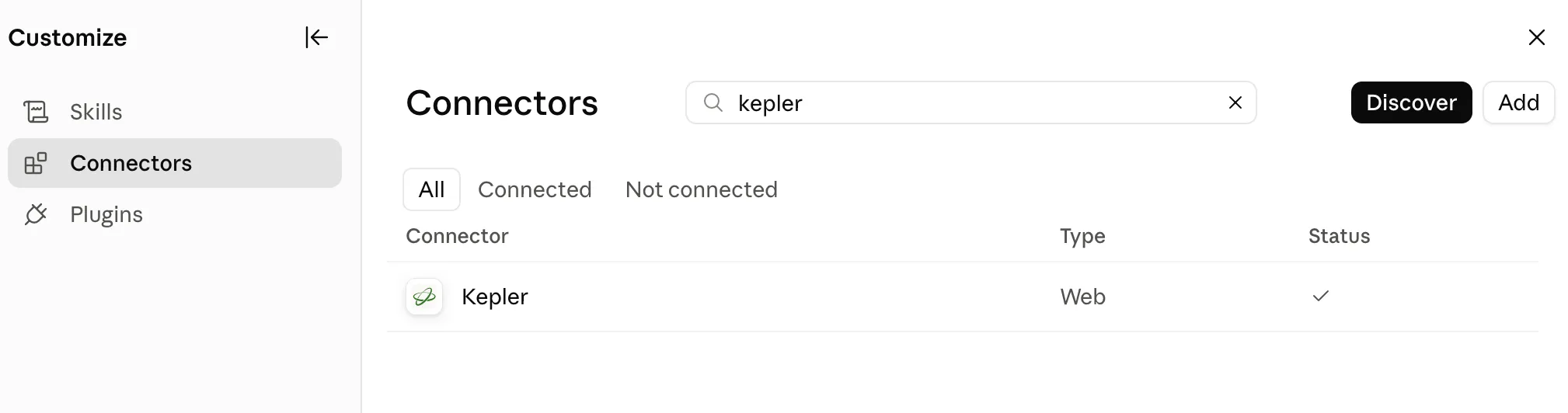
Kepler in Claude’s connector directory: connect once, and it is there in every chat.
What a finished run looks like
The answer arrives as a Kepler card in your chat, with Claude’s read of it underneath.
The card leads with Kepler’s full answer, collapsed so it does not swamp the thread. Expand it and you get the worked analysis: tables where every figure is a link, quotes attributed to the executive who said them, and each number clicking through to the filing fact or transcript line it came from.
Under that sits the sources block, listing the documents the answer rests on, with a badge telling you whether every figure in the response was cited.
An “Open in Kepler” link sits on the card for when you want the full citation view and the workbook.
Claude’s summary comes last, in plain prose in the chat, with a link back to the full run and its citation count. It reads the verified work and tells you what actually matters in it, and it is usually the part that ends up in your note. What makes it different from a normal Claude answer is what it is sitting on top of, which is a set of numbers that have already been checked against the filings.
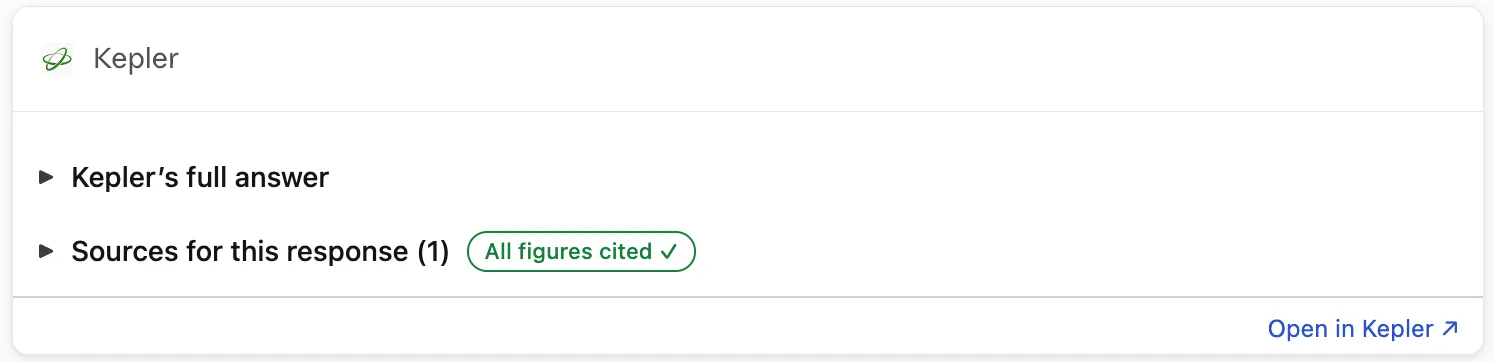
The card collapsed: the full answer, the sources it rests on, and the badge confirming every figure is cited.
Getting the most out of it
Here are three real examples on live tickers, run in Claude with the connector on.
1. Read the quarter on the day it prints
Kepler picks up documents as soon as they hit EDGAR, so the 8-K with the earnings release is queryable, with the same sourcing and the same citations as everything else, while you are still reading the headline. That matters in the twenty minutes after a print, when the choice is otherwise between waiting until the next morning for a data provider to ingest it and copying the numbers into your model by hand, at the exact moment you have the least attention to spare.
The prompt: summarize key earnings highlights from NVIDIA’s newest earnings release. Kepler worked from the Item 2.02 press release filed with the 8-K on August 26, 2026 and returned the quarter with 26 citations, every figure traceable to the line it came from.
Two things in it are why you read a release closely. The Q3 guide assumes no China Data Center compute revenue, and beginning in Q1 FY2027 the non-GAAP figures no longer exclude stock-based compensation, with historical periods restated to match. That second one quietly breaks any year-over-year non-GAAP comparison built on older numbers.
Kepler carries the street’s side of the quarter too, so the same conversation can set the print against consensus and show where ratings and the bull and bear cases sit.
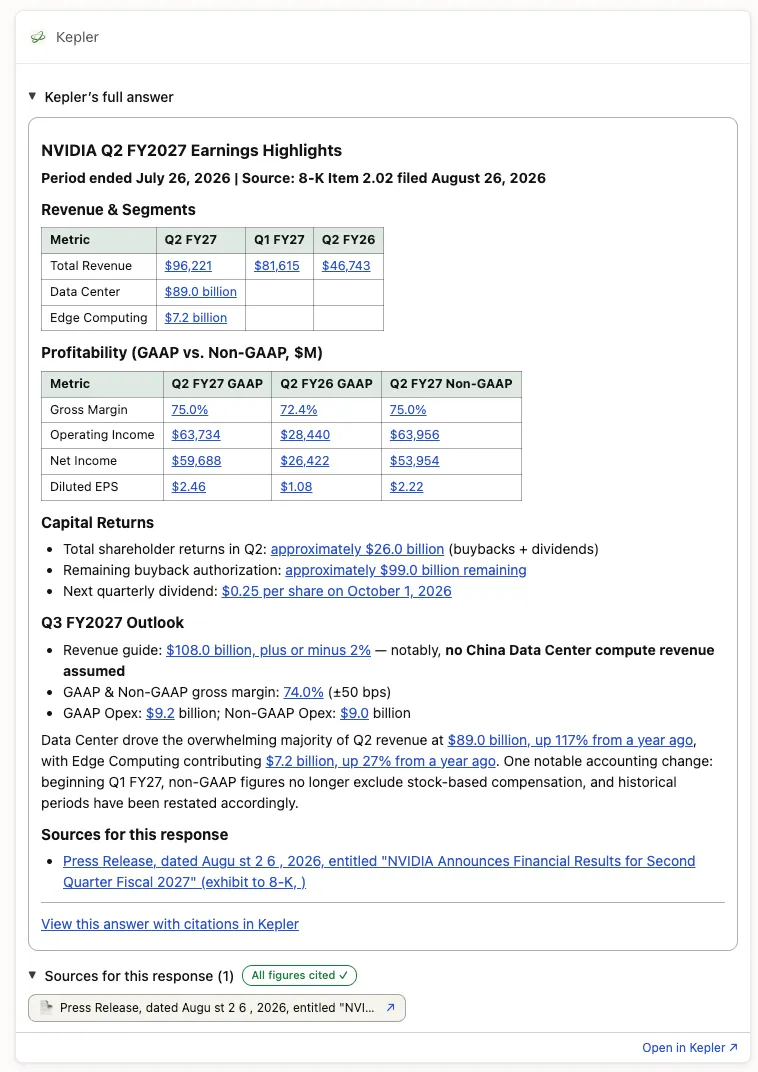
The quarter, minutes after it printed, with each figure linked to the Item 2.02 press release it came from.
2. Build a model that ties out, then keep pushing on it
A three-statement model for NVIDIA across FY2024 to FY2029 came back as a workbook, income statement, balance sheet and cash flow, with every historical cell sourced to the filing behind it. Refining it is a sentence: rebuild it on NVIDIA’s own filing presentation, break out segment revenue, add a year. Where a filing does not disclose something, the cell stays empty and the run tells you why rather than filling it with something plausible.
Nothing about the way you already use Claude has to change here. Keep asking it to build the workbook, chart the trend, lay out the comps sheet the way your team likes it, and draft the section of the note that goes around the table, because Claude is good at all of that and stays good at it. The one thing it cannot do on its own is stand behind the numbers, and that is the gap Kepler fills.
You get Claude’s flexibility on the shape of the analysis with Kepler’s numbers underneath every cell. If a figure is in there, it came from a source you can open.
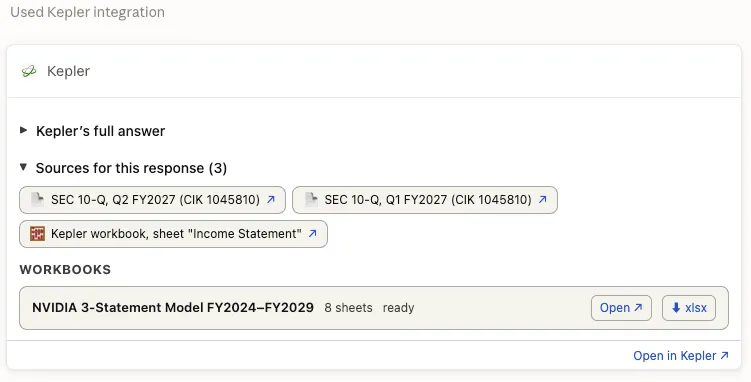
The workbook comes back ready to open or download, with the filings behind it listed on the card.
3. Push on the calculation people get wrong
Some numbers you can look up. Others have to be built, and enterprise value is one of them, starting with a fully diluted share count that no filing states outright. It gets assembled by hand from several parts of the same document and rebuilt every quarter.
The prompt was the one you would actually type: use Kepler, calculate Palantir’s fully diluted share count and enterprise value as of the most recent 10-Q, using today’s stock price. What came back was the whole bridge, basic shares through each award type to fully diluted, then equity value down to enterprise value, with the judgment calls written where you can see them: which date the share counts come from, how the stock appreciation rights were treated, the operating lease liability sitting outside the bridge with its number attached in case your house counts leases as debt.
Those are the places you might disagree, and naming them is what lets you overrule them. Two things make the number itself trustworthy. Every input came from exactly the place you would have gone yourself, the cover page, the equity footnote, the balance sheet, each one linking back to that spot in the filing. And no language model touched the arithmetic, because the treasury stock method and the walk down to enterprise value run as deterministic code. A model is good at reasoning about what belongs in an enterprise value and unreliable at executing it, so Kepler never asks one to.
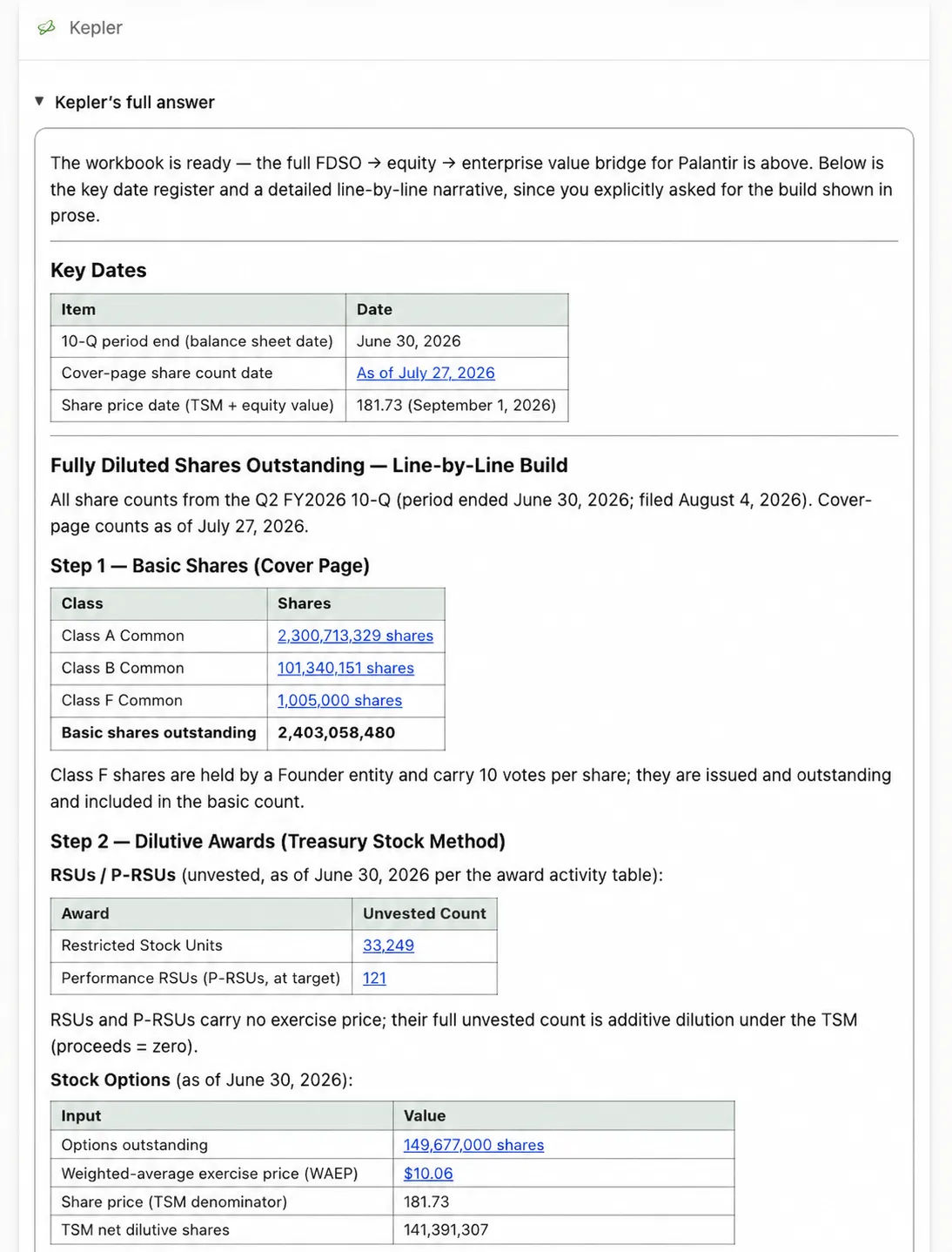
The share count built step by step, with the dates it rests on stated up front and every input linked back to the 10-Q.
The point
Go back to the memo at the top of this piece. The reason any of us reached for AI tools such as Claude was to get the grunt work off the desk, the extraction, the tie-outs, the share count rebuilt for the fourth quarter running, so the hours go to the part that pays the highest returns: the idea, the variant view, the thing nobody else in the market has noticed yet.
That trade only works if the grunt work comes back done. When you cannot trust the numbers, you do them again yourself, and a tool that was supposed to take work off your plate quietly demotes itself to a summary machine.
That is what changes here with the Kepler MCP in Claude. The extraction and the arithmetic come back finished, sourced, and one click from the filing, inside the same Claude chat you already work in. You stop re-deriving and start building on top, and the speed shows up across the whole workflow rather than in the twenty minutes at the front of it.
Worth saying plainly that the MCP is the narrow end of Kepler. What comes through it is the determinism, retrieval and arithmetic you can trace back to the source, which is what makes an answer defensible in the first place. The platform underneath adds two more layers. It carries an ontology and a search index, so it reasons across filings, transcripts, and your own internal sources when you connect them, as one connected picture rather than one document at a time. And the models are tuned on financial work rather than general text, which lifts the quality of the answer itself and not only its provenance. Most people who start with the MCP end up wanting the rest.
Get in touch and we will get you set up.